
The Outlook outage: what happened, and a continuity checklist for businesses that book by phone
Aniket SinghGuides8 min read

On 12 and 13 November 2026, Microsoft 365 had a global outage. People couldn't reach their Exchange Online mailboxes from Outlook on the web, desktop or mobile, and Teams, SharePoint and Copilot were affected too. Microsoft's preliminary post-incident report puts customer impact at 23 hours and 50 minutes, from 16:20 UTC on 12 November to 16:10 UTC on 13 November, with a final update early on 14 November. Some people count about 36 hours, because the trigger started earlier that morning. Microsoft traced it to a software defect from a July update to its network gateway servers. It said there was no sign of a cyberattack. If your business books work by phone and keeps its schedule in Outlook, a day like that is a good prompt to write down what you'd do next time. This post covers what happened, what it means for a phone-first business, a checklist, and how BookifyCall behaves when it can't reach an Outlook calendar.
Key takeaways
- The outage was about mailbox access. Exchange Online holds Outlook email and calendars, so for many people both were out of reach for most of a working day.
- Customers kept calling. The phone becomes your main channel when email is down, so make sure it doesn't depend on the same provider.
- The cheapest protection is boring: tomorrow's schedule on paper or offline, a second way to reach your team, and a list of who takes urgent calls.
- After any outage, reconcile: compare what you booked during it with your calendar, and look for clashes.
- BookifyCall's calls don't run on Microsoft 365. If your Outlook calendar can't be reached, the AI still answers, offers times from your business hours and existing BookifyCall bookings, saves the booking and flags it as not yet on your calendar.
What happened in the Microsoft 365 outage
Here is the timeline from Microsoft's own updates, as reported by The Register, BleepingComputer and Office 365 for IT Pros. Times are UTC.
| When (UTC) | What happened |
|---|---|
| 12 Nov, 01:07 | Teams traffic failed over to the gateway that also carries Exchange Online, raising the load on it |
| 12 Nov, 16:03 to 16:33 | Microsoft's monitoring flagged connection problems; the first support cases arrived |
| 12 Nov, afternoon | Microsoft reported users in the Americas couldn't reach Exchange Online mailboxes, then warned it could affect any region |
| 13 Nov, 07:20 | A fix that reverted the faulty code path was applied |
| 13 Nov, 16:10 | Microsoft confirmed services were healthy again |
| 14 Nov, 04:15 | Final customer update |
According to the preliminary report, three things lined up. A defect introduced in a July update made gateway servers lock up under certain loads. The Teams failover increased and changed that load. And an unrelated problem had already taken about 14% of gateway capacity out of service. At the worst point, more than 80% of the servers were unresponsive. Because the defect was months old, there was no recent change to roll back, and restarted servers were swamped by waiting traffic as they came back.
Microsoft said there was "no indication this is the result of malicious or cyber activity" (ABC News), and Charles Lamanna, an executive vice president at Microsoft, apologized publicly. A final post-incident report was due on 20 November.
Reports focused on email, but Exchange Online is also the service behind Outlook calendars and contacts. SecurityWeek noted that features that don't depend on Exchange Online kept working. Classic Outlook on Windows coped better than new Outlook and the mobile apps, because it keeps an offline copy of the mailbox.
What a day without email and calendar does to a business that books by phone
If you run a salon, a clinic front desk, a trades business or a property office, your day probably looks like this: calls come in, you check the calendar, you book a time, and an email confirmation goes out. Take Outlook away and each step gets harder.
- Calls keep coming. Customers don't know your email is down. Some will call because the email they sent you didn't get a reply.
- You can't see the schedule. If the calendar lives only in Outlook on the web or the phone app, you can't tell who's free on Tuesday.
- Confirmations stall. Invitations and confirmation emails sent from your own mailbox don't go out until it's back.
- Double bookings creep in. Two people taking bookings on scraps of paper, with no shared view, is how the same slot gets sold twice.
- Your team chat may be down too. Teams was affected in this outage, so "message the team" wasn't a reliable fallback for everyone.
None of this is a disaster for one day. It's the small mistakes made under pressure that cost you: the missed callback, the double booking, the customer who heard nothing back.
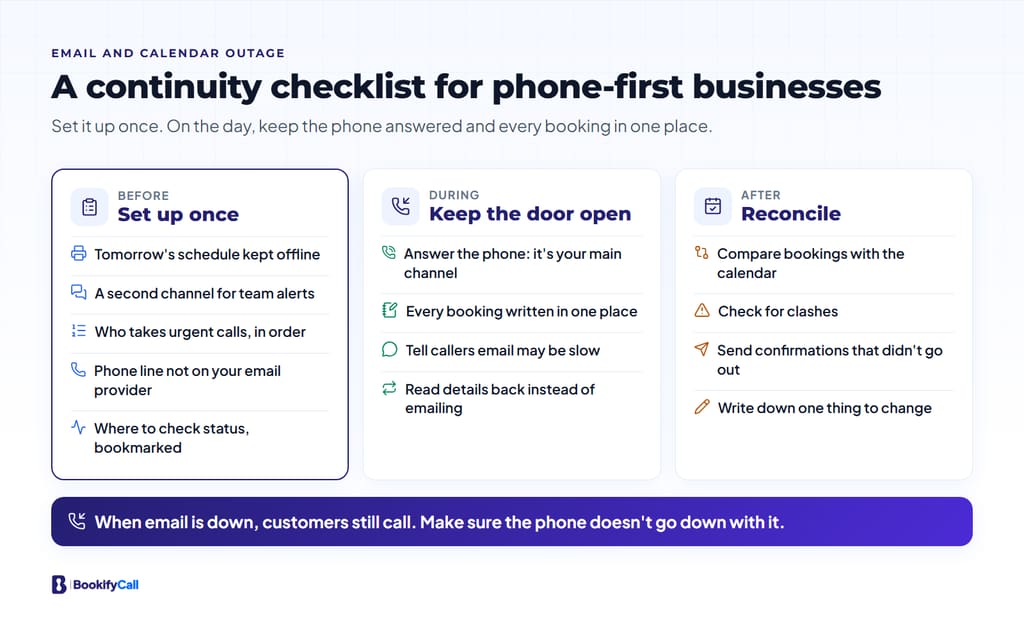
A continuity checklist for email and calendar outages
Before: set up once
- Keep tomorrow's schedule offline. Print it or export it at the end of each day, or use a desktop app that keeps an offline copy. Five minutes a day covers you.
- Have a second channel for your team. A group text or a chat tool from a different provider than your email. Agree in advance that it's where outage messages go.
- Write down who takes urgent calls. Names, mobile numbers and the order to try them, kept somewhere you can reach without email.
- Check what your phone line depends on. If your business number, voicemail or call routing runs through the same provider as your email, an outage can take out both. Many businesses keep the phone with a separate carrier or service for this reason.
- Know where to look for status. Microsoft posts updates on the Microsoft 365 Status account and in Service health in the Microsoft 365 admin center. Bookmark both, and tell whoever manages your IT where you'll look.
During: keep the front door open
- Answer the phone. It's now your main channel. If you can't answer, make sure calls go somewhere useful rather than a full voicemail box.
- Write every booking in one place. One shared sheet or one paper book, not several. Note the caller's name, number, the time and what the visit is for.
- Tell callers what to expect. "Our email is having problems today, so your confirmation may be late. I've written you down for Tuesday at 10." That's enough.
- Don't promise an emailed confirmation you can't send. Read the details back on the phone instead.
After: reconcile
- Compare. Put every booking taken during the outage next to your calendar and look for clashes.
- Send what didn't go out. Confirmations, quotes and replies that were stuck in your outbox or never sent.
- Write down one change. What would have made the day easier? Do that one thing this week.
How BookifyCall behaves when your Outlook calendar can't be reached
We make an AI receptionist, so here is exactly what ours does, checked against our code, for businesses that connect an Outlook / Microsoft 365 calendar. Our own email doesn't run on Outlook, and the calls themselves run on our phone, voice and hosting providers, not on Microsoft 365. The calendar connection is the one part that depends on Microsoft.
- Calls are still answered. The AI answers questions from what you've told it, transfers urgent calls to your contacts in the order you list them, and takes messages, as on any other day.
- Times come from what it can see. When the AI checks availability and Microsoft doesn't respond, the AI is told the calendar couldn't be checked. It then offers times from your business hours and the appointments already booked through BookifyCall.
- The booking is saved, and flagged. The appointment is saved in BookifyCall and we try to add it to your Outlook calendar. If that fails, the appointment shows "Not added to your calendar", the new-booking email we send you says the calendar sync failed and the booking is saved in BookifyCall, and Settings → Integrations shows how many appointments failed to sync.
- When Microsoft is back, open each flagged appointment and press "Try syncing again". Today that's a manual step for each one.
- The caller's confirmation still goes out. If the caller gives an email address, the booking confirmation comes from our email service, not your Outlook mailbox.
Two honest caveats. First, while it can't see your calendar, the AI doesn't know about events you added directly in Outlook, so a time it offers could clash with one of them. After an outage, check the flagged bookings against your calendar. Second, if your own inbox is in Exchange Online, our notification emails to you will wait until your mailbox is reachable again. The calls, transcripts and bookings are in the BookifyCall app the whole time, and Slack alerts don't depend on Microsoft. Microsoft Teams alerts do, and Teams was affected in this outage.
If you're setting up for the first time, our guides on setting up an AI receptionist and what to tell it cover the basics, and ring your team first, then the AI shows how to keep people answering while the AI catches what they miss.
Frequently asked questions
How long was Outlook down in November 2026?
Microsoft's preliminary post-incident report puts customer impact at 23 hours and 50 minutes, from 16:20 UTC on 12 November to 16:10 UTC on 13 November 2026. Microsoft's final customer update came early on 14 November. Counting from the earlier load change that set it off, some reports give about 36 hours.
What caused the Microsoft 365 outage?
Microsoft says a software defect introduced in a July 2026 update to its network gateway servers was set off by extra load after a Teams failover, while about 14% of gateway capacity was already offline. It said there was no indication of a cyberattack.
Were Outlook calendars affected, or only email?
The incident was about reaching Exchange Online mailboxes, and Exchange Online holds Outlook calendars as well as email. Most reports focused on email, but anyone who couldn't open their mailbox also couldn't use the calendar inside it, unless their app kept an offline copy.
Does BookifyCall stop answering calls if Microsoft 365 is down?
No. Calls run on our own phone, voice and hosting providers. Only the calendar connection depends on Microsoft. If it can't be reached, the AI offers times from your business hours and existing BookifyCall bookings, saves the booking and flags that it isn't on your calendar yet.
What's the simplest thing to do before the next outage?
Keep tomorrow's schedule somewhere that doesn't need email: printed, exported or in a desktop app with an offline copy. Then agree on one backup channel for your team.
Outages happen to every provider, including ours. The businesses that get through them calmly usually decided in advance where bookings go and who answers the phone. You can hear a BookifyCall AI receptionist on our demo line, (860) 955-9240.