
AI receptionist for real estate: catch buyer calls at showings
Aniket SinghIndustries9 min readUpdated

An AI receptionist for real estate answers sign calls and listing inquiries while you're in a showing, at a closing or asleep. It asks a few qualifying questions, answers from the listing details you've given it, and books the showing or listing consultation into your calendar. You call back a lead with a name, a need and often a time already set.
The calls an agent misses are rarely the easy ones. They come in the middle of a walkthrough with another buyer, or on a Saturday when you're running between open houses. This guide covers the calls an agent's phone actually gets, what to let an AI handle, and where to keep a person in the loop.
Key takeaways
- Load each active listing with the facts buyers ask about, and remove it the day it goes under contract.
- Qualify with timeline, financing and area. Leave out anything touching protected characteristics under fair housing law.
- Check how written buyer agreements affect your showing process before you let any tool book tours.
- Send offers, agent-to-agent calls and anything about a live transaction to a person.
- Use scheduled callbacks for leads who asked to be called, inside normal calling hours.
Why agents miss the calls that matter
Real estate runs on other people's schedules. The US Bureau of Labor Statistics notes that agents' work schedules may vary and often include evenings and weekends to accommodate clients' schedules, and that most are self-employed: about 54% of sales agents and 55% of brokers. For many agents, there's no office manager picking up the overflow.
Meanwhile most buyers and sellers do end up with an agent. NAR's 2025 Profile of Home Buyers and Sellers, covering transactions from July 2024 to June 2025, found that 88% of buyers used an agent or broker and 91% of sellers used an agent. The question for a caller standing outside your listing usually isn't whether to work with an agent. It's which one answers.
If you're still weighing the idea in general, our guide to what an AI receptionist is and how it works explains the basics.
The calls an agent's phone gets, and who should take them
Here's a practical split for a solo agent or small team.
| Call | What the AI does | When you take over |
|---|---|---|
| Sign call: "Is the house on Oak still for sale?" | Answers from the listing details, offers a showing or intro call | No, unless the caller asks for you |
| Online inquiry: "Is it still available? What are the taxes?" | Answers what you listed, takes questions it can't answer as a message | For anything not in the listing details |
| "Can I see it this weekend?" | Qualifies, books a showing in your showing hours | No |
| Seller: "What's my home worth?" | Takes address, timing and reason for moving, books a listing consultation | No, you give the valuation at the meeting |
| Buyer: "Are you taking new buyers?" | Asks area, budget and timeline, books an intro call | No |
| Buyer's agent requesting a showing | Takes their details and preferred times | Usually, so you can coordinate with the seller |
| Offer coming in, or questions about one | Nothing beyond a quick hand-off | Always, right away |
| Client under contract: inspection, appraisal, closing questions | Takes a message with the property address | Always, by transfer or callback |
| Lender, title, inspector, vendor | Takes the message | When you're free |
BookifyCall transfers calls to the contacts you set, and with warm transfer the AI briefs you on the call before connecting. "Buyer's agent from another brokerage, wants to submit an offer on 18 Oak tonight" is a better start than an unexplained ring.
Qualifying questions that help, and ones to leave out
Good qualifying questions are short and practical. Most callers answer them happily if the AI asks them naturally, one at a time:
- When are you hoping to move?
- Have you talked to a lender or been pre-approved?
- Which areas and price range are you looking at?
- Are you working with an agent already?
- Do you have a home to sell first?
- How did you hear about this listing?
Just as important is what to leave out. The Fair Housing Act prohibits housing discrimination in sales and rentals based on race or color, religion, sex, national origin, familial status and disability. An AI should never ask "Do you have kids?" or describe a neighborhood as "great for young families" or "a safe area." Tell it to stick to property facts, and to point school questions to official district information rather than giving opinions. Your broker likely has wording guidance you can paste straight into its instructions.
Booking showings into your calendar
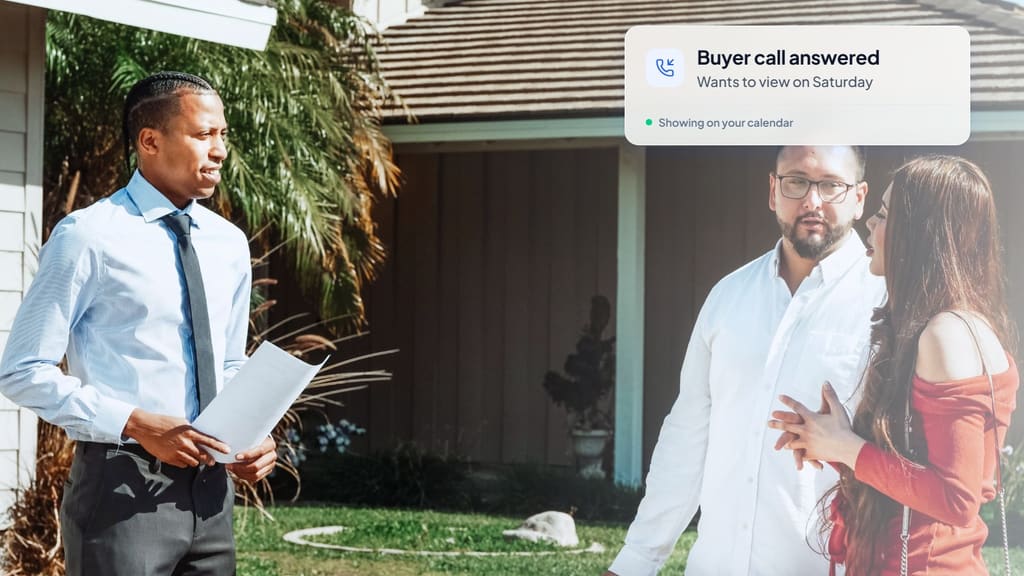
BookifyCall checks your Google Calendar's free and busy times during the call, offers open slots, and books the one the caller picks. Calendly is supported too. For a showing, a few real estate details make the difference.
- Showing hours. Set the hours you're willing to show, and keep them realistic. Bookings only land inside them.
- Travel time. Leave gaps between appointments on your calendar so the AI can't book back-to-back showings across town.
- Occupied listings. If sellers need notice, tell the AI the earliest it can book (for example, nothing sooner than tomorrow) and include it in the listing details.
- Access. Never put lockbox or door codes in the AI's instructions. It says only what you tell it, so keep codes out entirely.
- Your safety rules. Many agents have a rule for first meetings with new contacts, such as meeting at the office first or confirming a full name and email. Write yours into the instructions so the AI collects what you need.
Written buyer agreements and booking tours
Since the NAR practice changes took effect on August 17, 2024, NAR's consumer guidance says buyers will need to sign a written agreement with their agent before touring a home, for in-person and live virtual tours. It also says a buyer doesn't need one just to talk to an agent at an open house or ask about their services.
That changes how you set up showing calls. Some agents have the AI book a short intro call first, which BookifyCall can set up with a Google Meet link, and send the agreement before the tour. Others let it book showings directly on their own listings. Which is right depends on your role, your MLS and your state, so ask your broker and set the AI's booking rules to match.
For the mechanics of calendar booking, see how AI phone booking works with Google Calendar and Calendly.
Seller inquiries and listing consultations
Seller calls are fewer than buyer calls and usually worth more. Treat them carefully.
The AI shouldn't give a value by phone, even a range. Have it take the property address, when they're thinking of selling, why they're moving and whether they've talked to other agents. Then it books a listing consultation, in person or virtual with a Meet link. You show up with a market analysis instead of a guess.
If a seller wants to talk to you right now, let them. A transfer for "I'm interviewing agents this week" is a good use of your time.
Example call walkthrough
Here's a made-up example for a fictional agent, showing a buyer who isn't ready for a showing yet.
AI: Hi, you've reached Dana Morales with Harborline Realty. This is Jordan, her AI assistant. How can I help?
Caller: I saw a sign on Birch Lane. We're starting to look, probably buying in the spring.
AI: Thanks for calling. 9 Birch Lane is a three-bedroom listed at $389,000. Are you working with an agent yet?
Caller: No, not yet.
AI: No problem. Have you had a chance to talk to a lender?
Caller: Not yet. Is that a problem?
AI: Not at all. A lot of buyers start with a short call with Dana to talk through the area, budget and next steps. She has Thursday at 6:00 or Friday at noon. It's a video call, about 20 minutes.
Caller: Thursday works.
AI: Great. Can I get your name, the best number and an email for the video link?
(The AI books the call with a Google Meet link and confirms the details back. Dana gets an email with the summary: first-time looking, spring timeline, not pre-approved, interested in 9 Birch Lane.)
Our page on the AI receptionist for real estate agents shows the other common version: a ready buyer booking a same-day showing straight from a sign call.
Follow-up callbacks that don't feel pushy
Plenty of callers say "call me next week" or "after we talk to the bank." BookifyCall lets you schedule the AI to call a lead back at a set time with a reason, such as "following up on 9 Birch Lane after your lender meeting," which it opens the call with. If they don't pick up, it retries on the spacing you pick, up to five tries, and it only calls during calling hours (8 am to 9 pm by default). For US numbers those hours follow your business time zone, since the number alone doesn't show which zone the contact is in.
Keep callbacks to people who asked for them. Outbound calls have their own rules, so read our guide to recording, disclosure and consent basics before you schedule any. Our post on follow-up calls, time zones and retries covers timing.
Set-ups for solo agents and small teams
Solo agent. Forward your business line to the AI, or turn on ring-first so your cell rings before the AI picks up. When you're in a showing, let it go. The AI answers, books and sends you the summary.
Two or three agents. Ring-first can ring up to five of your phones in order before the AI answers. Add each agent as a transfer contact and tell the AI who handles which listings or areas.
A busier team. Route sign and listing calls to the AI, warm-transfer seller leads and offers to whoever is on duty, and review summaries at the end of each day. We walk through these routing options in ring your team first, then the AI.
What to give an AI receptionist for real estate before it takes calls
- Each active listing: address, price, beds and baths, square footage, lot size, HOA, taxes, key features, showing instructions and occupancy.
- Your showing hours, notice rules and travel buffers.
- Your qualifying questions and the wording guidance from your broker.
- Your buyer agreement process and when to book an intro call instead of a showing.
- Who gets transferred for what: offers, sellers, clients under contract.
- A short bio: areas you cover, how long you've been in the business, languages you speak.
Plans and limits are on the pricing page.
Frequently asked questions
Can an AI receptionist answer questions about my listings?
Yes, from the listing details you add. If a caller asks something you haven't covered, it can take a message or transfer the call instead of guessing.
Can it qualify buyers without breaking fair housing rules?
It asks only the questions you give it. Keep those to timeline, financing, area, budget and agent status, and tell it not to comment on neighborhoods or who lives there.
Can it book showings for occupied homes?
Yes, within the hours and notice rules you set. If sellers need to approve each showing, have it book a showing request time and confirm with the seller yourself.
Can it text leads back?
BookifyCall works by phone. You get an email notification with the call summary, and you can schedule the AI to call a lead back at a set time.
Will buyers know they're talking to an AI?
It speaks in a natural voice with the name and personality you choose. If a caller asks whether it's an AI, it tells the truth.
The agent who answers often gets the conversation. An AI receptionist won't sell a house, but it can keep a buyer standing in front of your sign talking to your business instead of the next number they find.